

Whether you want to play Soccer Zonke for the first time, or you already hit the R5000 win for the week, what’s most important is getting paid. All you’ll need is a Wise account that takes less than 5 minutes to create. We’ll walk you through the setup process step-by-step so that you’re ready to predict and start winning lottery style.
What is Wise, and why do I need it for Soccer Zonke?
Wise, formerly called TransferWise, is a global payment processor that offers low-cost instant transfers. You can send and receive money in over 40 currencies, including ZAR; create foreign bank accounts in other currencies; and even request payments as an individual or as a business.
You need Wise to receive Soccer Zonke payment because it requires no action from your end. Once you have registered to play the lotto using your Wise phone number, payments will be processed instantly. It saves you the stress of manually requesting withdrawals.
What documents do I need to create a Wise account?
Wise will require you to provide a few personal details to create an account.
- An email address: This will serve as your login detail, together with whatever password you set. You can also send it to other Wise users to receive payments.
- Phone number: A phone number is required for two-factor authentication and verification. This should match your Soccer Zonke phone number so your payment can be processed (when you make your first set of predictions on Soccer Zonke, you’ll see a pop-up to add your phone number).
- Wise app or access to a browser: Wise is flexible, which is useful if you prefer to download the app or just access it from your browser. You can use the web version anytime, even if you have the app.
How to Create a Wise Account
Once you have all the requirements ready, follow these steps to create your Wise account.
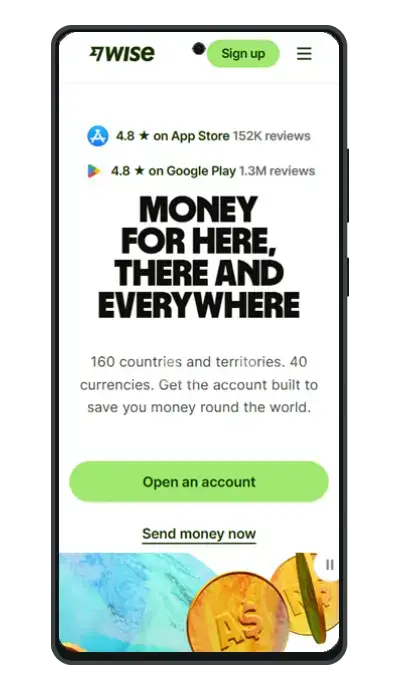
Open your phone or laptop browser and visit wise.com to use the web version. If you prefer the app, go to the iOS store or Google PlayStore and type in “Wise.” Look for the green logo with the black flag icon at the center and click “download.”
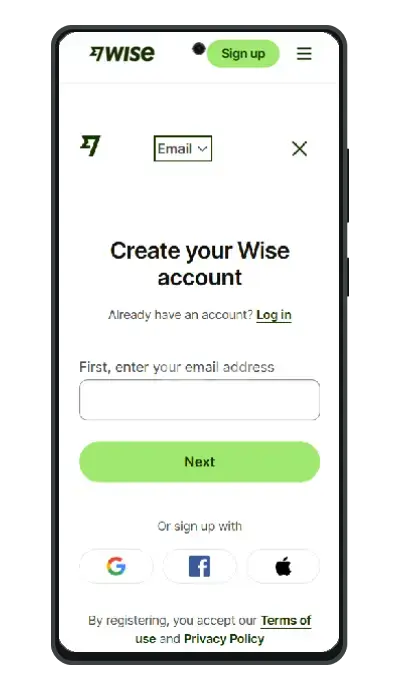
Once you’ve installed the app or opened the web page, click the “register button,” then register with Facebook, Google, or Apple.
Type in your valid email address, verify it by clicking the email you receive from Wise and then choose between a personal or business account. Next, choose South Africa from the list of countries so that you can receive payments in Rand.
Type in your phone number (same one you use on Soccer Zonke) and wait for a code via SMS. Once you get the code, type it into the provided field and set a password.
Set up 2-factor authentication so that no one else can transact with your account. Each time you want to log in, Wise will send you a unique code to input for added safety. Now you can start sending and receiving money globally within minutes.
How to receive payment with wise
Generally, there are 3 ways to receive payments to your Wise account. For Soccer Zonke, you don’t need to take any action because we will send your winnings directly to the phone number associated with your account. That’s why we need you to use the same phone number for Wise and Soccer Zonke registration.
These are the three ways to receive Wise payments:
Send your email to another user
Wise works like most e-wallets, where your email is enough to send and receive payments. Another user can also scroll through their contacts directly from the Wise app and choose your number. If that phone number is associated with your Wise account, you can receive payments from that user.
Request payment
You can send a payment link to directly request payment from anyone. You’ll need to have set up at least one currency account within Wise to do this. It’s easy to create local USD, GBP, and even ZAR bank accounts within the Wise app to receive money globally.
To create a payment request, click on “Request” from the home screen or scroll to the “Currency” section and tap “Receive.” If you are requesting payment from someone who doesn’t use Wise, select “Anyone” to instantly create a link that you can send to them. For other Wise users, type their email address or select them from your contact list, and they’ll instantly get a payment link via email.
Send account details
If you want to receive payment in other currencies like EUR, GBP, or USD, you need to first create a bank account for them.
Verify if your region supports the currency you wish to open an account for by clicking the plus sign and choosing the desired currency. Click “Get account details” if it’s available. Wise will require some more details, like a selfie and an upload of your ID for verification.
The process usually takes a few minutes, and your account will be ready once everything checks out. Now you can copy the bank account details and send them to whoever needs to pay you.
How long does it take my Soccer Zonke payment to reach Wise?
If you are the sole winner, which means only you got all 10 predictions right for the week, Soccer Zonke will announce your win on the winner’s page.
After that, you can expect direct payment to your Wise account within seven days. You can then withdraw your money from Wise to your card or local bank account immediately.
Get winning tips and expert in-sight from now
Now that your Wise account is set up, join our WhatsApp channel to receive expert game analysis and connect with other football fans. We also share rewards and promotions to get you some Soccer Zonke Points (SZPs). Invite your friends to play and get 50 SZPs to insure up to 2 bets per slip.
