

BetXchange App & Mobile Version
Key Features of the BetXchange App
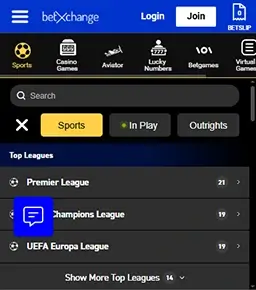
The BetXchange app brings everything from your desktop straight to your phone, making it easy to bet on sports, play casino games, and manage your account on the go. From seamless navigation and live betting to useful tools like Cash Out and Bet Builder, the app is designed to be lightweight, responsive, and practical for everyday use.
Author: Javia AlexHow to Download the BetXchange App?
Downloading the BetXchange app is a straightforward process for Android users, as the platform provides a secure APK file directly from its official website. iOS users aren’t left out either, with a mobile web version that mirrors the app’s features and allows for a home screen shortcut for quick access.
BetXchange South Africa offers players access to a mobile app that can be downloaded on Android devices. The application is not listed on the Play Store but was developed as an APK file, which you can install directly from the website. For now, an iOS app has not been created, but users can use the mobile version on Safari.
From my tests, the BetXchange APK and mobile version run smoothly and have the same features as the desktop. They’re also more convenient to use and also offer the same bonuses and payment systems. On this page, I’ll show you how to download BetXchange app for Android, as well as alternative ways to install it on iPhones.
How to Download BetXchange App for Android
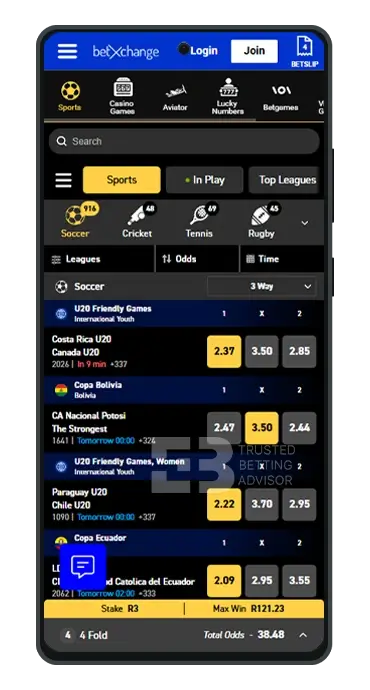
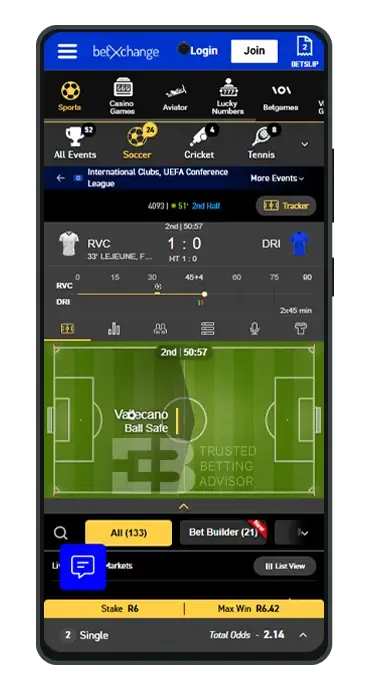
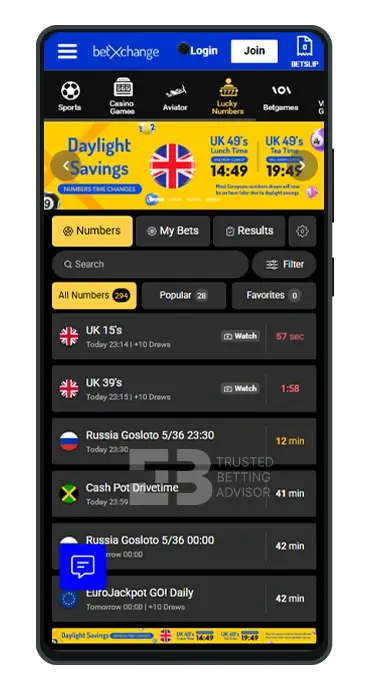
The BetXchange mobile app for Android tablets and smartphones is easy to download from the official website. It comes as an APK file, and once installed, it offers access to the operator’s sports and casino catalogue. The design and UI of the BetXchange APK download app are similar to the mobile version with the same features.
To install the BetXchange app download APK, you must launch the website on a mobile browser, preferably Google Chrome. Next, scroll down to the footer of the website and look for the “Download Android APK” link. Once you click this link, you’ll be redirected to the page where the download BetXchange app for Android will start automatically.
Is BetXchange Apk Available in the Google Market?
No, you won’t find the BetXchange app download software on the Google Play Store. The file can only be downloaded and installed from the official website of the operator. However, just because it’s a BetXchange APK file doesn’t mean you need to worry about safety. The app is also certified and licensed by the Western Cape Gambling and Racing Board.
BetXchange App Android Requirements
Below are the Android requirements associated with the BetXchange app download APK latest version:
- Latest App Version: 20240503.7c12388
- Compatibility: Android 10 and above (for best performance)
- Storage Space Required: At least 100 MB
How to Install BetXchange App on Android?
Follow the steps below to complete the BetXchange APK download and installation on your Android smartphone or tablet:
- Open your Chrome browser and visit the BetXchange South Africa website.
- On the homepage, scroll down to the site’s footer, where you’ll see the BetXchange app download APK link.
- Click the link to begin the download process, which will start automatically.
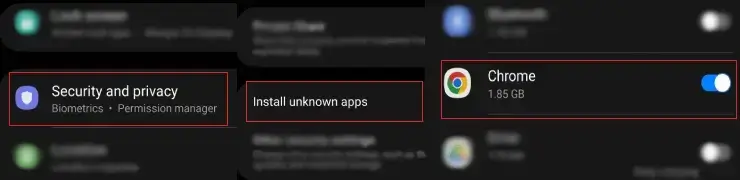
- After completing the BetXchange app download, a notification will pop up to remind you that the application is from an unknown source and cannot be installed.
- Go to your device’s app settings to view the “Install Unknown Apps” list and toggle on the allow button for Chrome.
- Back on the download screen, you’ll see another notification asking if you want to “Install Anyway”.
- Finally, click this button to install BetXchange app on your Android device successfully.
How to Download BetXchange App for iOS

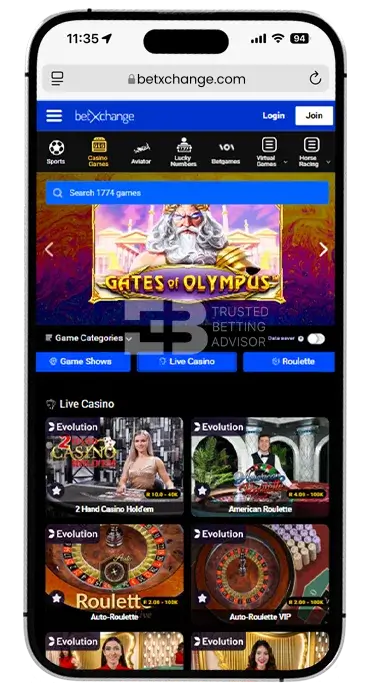
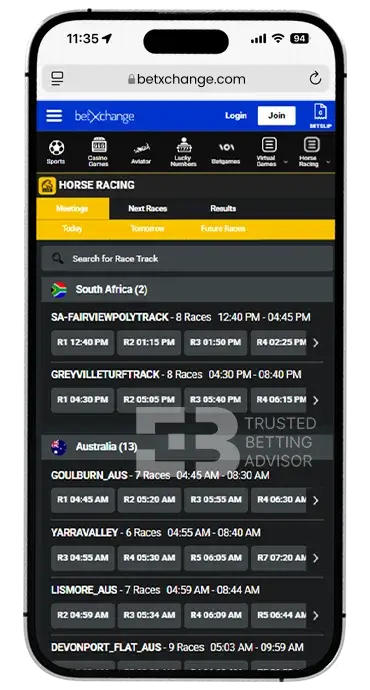
Unfortunately, BetXchange does not currently have an iOS mobile app that can be downloaded on iPhones and iPads. Players who own devices that run on the iOS software can access the platform using a mobile browser like Safari instead. Another alternative for users is to create a BetXchange download shortcut, which can be placed on the screen for quicker access.
How to Add BetXchange Mobile Shortcut on iPhone?
Unlike the BetXchange app download APK latest version for Android, the mobile shortcut for iOS is not an actual application. It functions as a quick-launch web app that has an icon you can place alongside other app thumbnails on your iPhone/iPad home screen. Here’s how to create this shortcut in a few short steps:
- Open your Safari browser and visit the BetXchange website.
- Tap the “Share” button at the bottom of the screen.
- From the list of options that appear, click “Add to Home Screen”.
- Name it BetXchange, then tap “Add” to finish creating the shortcut on your home screen.
How to Use the BetXchange Mobile App?
After finishing the BetXchange app download for Android, the thumbnail will appear in your application list. To use the mobile app, tap the thumbnail to open it and register a new account by clicking the “Join” button. If you already have an account, you can sign in using the same BetXchange login mobile information you use on the website.
The user interface of the app is similar to the mobile browser version. You’ll find the menus in the same position, starting with the sports betting section as the homepage. When you want to bet on sports, make sure you have a good internet connection to prevent any lags.
If you’re using an Android smartphone like Samsung, you can also save your BetXchange app login details using the SAMSUNG Pass tool. This will keep you from re-entering your details each time you want to start betting with the app. Also, take advantage of the sports bonuses on the platform to give you more funds to bet with.
BetXchange App Login and Registration
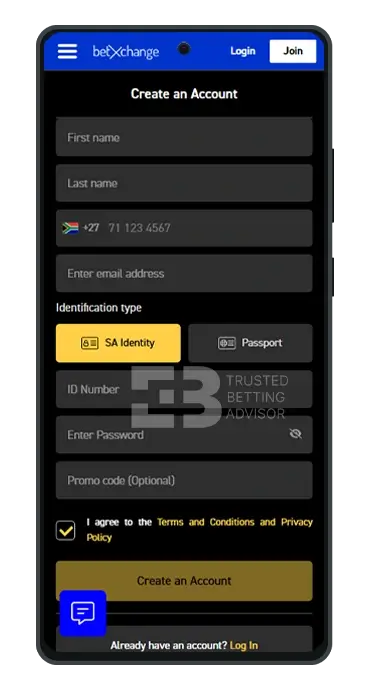
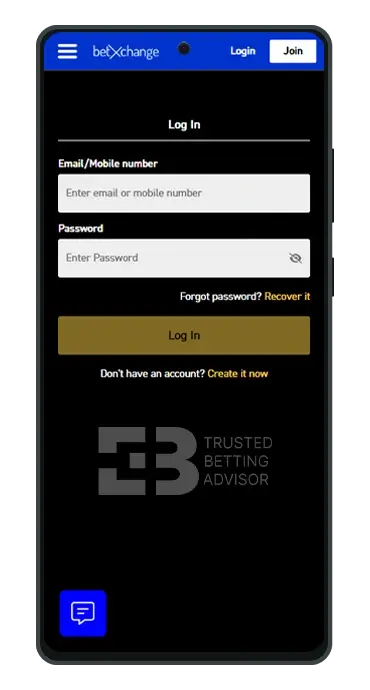
Once the application is installed on your tablet or smartphone, the BetXchange login and registration procedure is quite straightforward. If you want to open an account, these are the steps to take:
- Launch the BetXchange app and click the “Join” button on the top-right of the screen.
- Enter your first name and last name, followed by your mobile number and email address.
- Choose an identification type and enter the corresponding document number.
- Create a strong password and agree to the terms and conditions.
- Finally, tap “Create an Account” to finish and click the confirmation link sent via SMS to your phone.
Anytime you need to initiate a BetXchange app login, here’s the process to follow:
- Launch the application and click the “Login” button at the top of the screen.
- Enter your BetXchange login mobile details (cell number or email) and password.
- Click the yellow “Log In” button at the bottom and you’ll be granted access to your betting account.
BetXchange Sports Betting App
The BetXchange sports section is the first page you’ll see when you open the application on your Android device. Like the website, all sports are listed on a horizontal menu below the promotions banner, with about 30 to choose from. Only pre-match events are shown on this page, and you can switch between sports types to view fixtures.
The live betting section of the sportsbook can be accessed quickly from the homepage by clicking “In Play”. A list of sports with currently ongoing events is listed on the horizontal menu this time. You can also choose the specific countries you’re interested in to streamline the featured events. Overall, I had a smooth experience navigating the sports page on the app.
All menus and buttons respond quickly to taps, and the bet slip instantly updated once I picked selections. The default odds format shown on the app is decimal, which I always prefer over others.
- American Football
- Aussie Rules
- Awards
- Baseball
- Basketball
- Boxing
- Cricket
- Cross Country Skiing
- Cycling
- Darts
- eSports
- Football
- Formula 1
- Futsal
- Golf
- Handball
- Ice Hockey
- Lacrosse
- MMA
- Olympic Games
- Politics
- Rugby
- Ski Jumping
- Snooker
- Specials
- Speedway
- Table Tennis
- Tennis
- Volleyball
- Water Polo
- Horse Racing
BetXchange Casino Games on a Mobile
In the casino section, I counted over 1,700 games, which included everything from slots to table games, scratch cards, and live casino games. The data saver option, which I saw on the website, is also available on the BetXchange download application. Before testing the games, I toggled this function on, but even without doing this, the games still load really fast.
The titles I played include Aviator and Gates of Olympus Super Scatter, both of which came with above-average RTPs. I also looked through the “Game of the Week” page, where I found popular titles like Crazy Time and Starburst. What I liked most about the app is the visual quality. The colours are sharp and the games feel light, even when playing game shows streamed in real time.
- AGT
- Amatic
- Bet Games
- EGT Digital
- Elbet
- Evolution Gaming
- Glück
- Pragmatic Play
- Spinomenal
- Spribe
- Tom Horn Gaming
- Yggdrasil Gaming
BetXchange Mobile Version Review
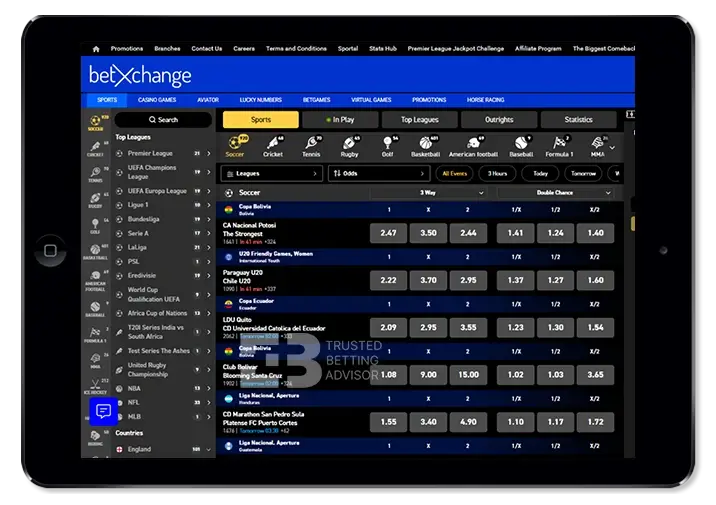
If you don’t want to download the BetXchange app for personal reasons, the mobile version is still fantastic. It can be opened on mobile browsers like Google Chrome and Safari, and from my checks, it’s no different from the desktop version. The sports and casino catalogue is the same, and every feature on the desktop can also be enjoyed on mobile.
While using the BetXchange mobile site, I did notice that it appears more streamlined due to the screen orientation. On desktops, the website retains a landscape format, which is much wider and has larger fonts and buttons. This, of course, had no effect on the general functionality, as everything still behaved and responded the same on both versions.
BetXchange App Features
The Keith Ho BetXchange app download has some interesting features that will enhance your betting experience. They include:
- Cash Out – This feature lets you withdraw your wager from an event before the final results come in. You can use it to limit your losses if you notice that the match isn’t going to favour your prediction.
- Bet Builder – You can create a customised bet slip by combining multiple legs in a single event using the bet builder. What happens is that the odds for each selection are combined, which makes your final payout much larger if the selections win.
- Book a Bet – This unique feature allows you to create a unique code for your bet slip, which you can share with other bettors. All you have to do is enter the selections, create a booking code, and your friends will be able to bet on the same legs with the code you shared.
- Live Match Tracker – With this tool, you’ll get real-time match updates on in-play events. You’ll be able to view live stats, view professional insights, and check mathematical visualisations of a game as it unfolds.
BetXchange Mobile Bonus
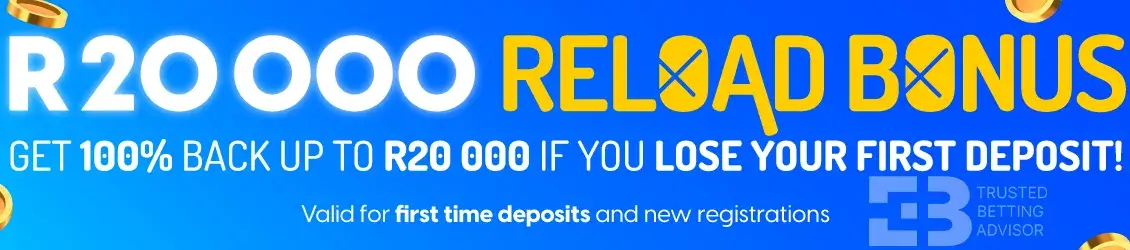
BetXchange does not have a specific bonus for app download, but you can claim the sports welcome bonus via the application. The offer is called a first loss reload bonus and doesn’t require a BetXchange promo code to be activated.
- Max. Amount: R20 000
- Percentage: 100%
- Min. Deposit: R10
- Min. Odds: 1.90
- Wagering: 1x
BetXchange Mobile App Payment Methods
Both the BetXchange app and mobile versions support the banking options featured on the main website. SMS deposits are not supported, but you can use mobile payment services like Samsung Pay and Apple Pay. Other popular South African banking methods are also available, and I’ve listed them all in the table below.
| Payment Method | Deposit Minimum | Deposit Maximum | Time for Deposit | Minimum Withdrawal | Withdrawal Maximum | Time for Withdrawal |
|---|---|---|---|---|---|---|
 Ozow Ozow | R10 | R100 000 | Instant | R100 | R50 000 | up to 24 hours |
 ApplePay ApplePay | R10 | R100 000 | Instant | - | - | - |
 Capitec Pay Capitec Pay | R10 | R100 000 | Instant | - | - | - |
 Visa Visa | R10 | R100 000 | Instant | - | - | - |
 MasterCard MasterCard | R10 | R100 000 | Instant | - | - | - |
 EFT (Electronic Fund Transfer) EFT (Electronic Fund Transfer) | R10 | No Limit | Instant | - | - | up to 48 hours |
 1VOUCHER 1VOUCHER | R10 | R1500 | Instant | - | - | - |
 OTT Vouchers OTT Vouchers | R10 | R5000 | Instant | R500 | R3000 | Instant |
 Blu Voucher Blu Voucher | R2 | R1000 | Instant | - | - | - |
 Samsung Pay Samsung Pay | R10 | - | Instant | - | - | - |
 Masterpass Masterpass | R10 | - | Instant | - | - | - |
 Shoprite Shoprite | - | - | - | R100 | R50 000 | up to 24 hours |
FAQ
Is the BetXchange App Free?
Yes, the BetXchange download app is free to install on all tablets and smartphones that use the Android operating system. The software comes as an APK file link, placed on the footer of the operator’s official website.
Can I install a BetXchange app on my iPhone?
No, you cannot install the native BetXchange mobile app on your iPhone because the operator does not offer one. However, you can create a shortcut and place it on your home screen by tapping the “Share” button when you open the mobile site on Safari.
What’s the BetXchange app login link?
The BetXchange app login link is what gives you access to the Android APK file. You’ll find the link at the footer of the website and clicking it will initiate the download and installation process.