
Mozzartbet App
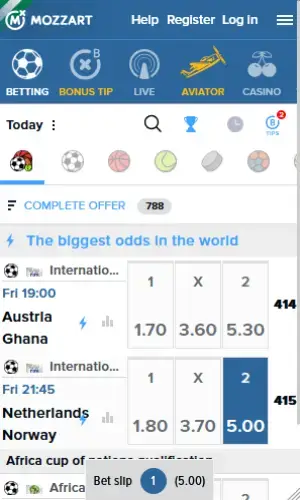
Nigerian bettors can enjoy more convenience by downloading the Mozzartbet NG app. It’s available on both Android and iOS, but works best on supported devices. For the iPhone version, you can get it directly from the Apple App Store. The Android version, however, is an APK file that you’ll find only on Mozzartbet’s official website.
Except for live casino games, all other betting sections on the main site are present in the applications. On this page, I’ll show you how to get the app and compare it to the desktop and mobile versions.
How to Download Mozzartbet Android App
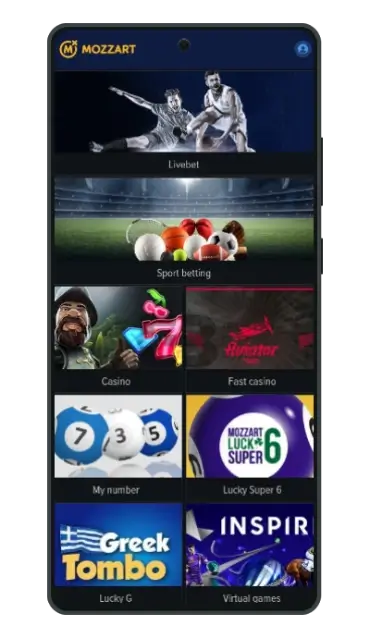
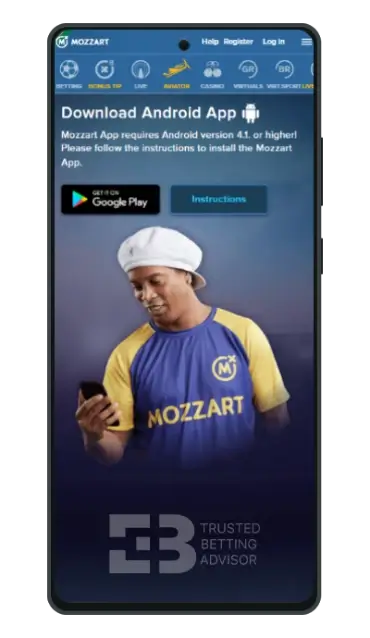
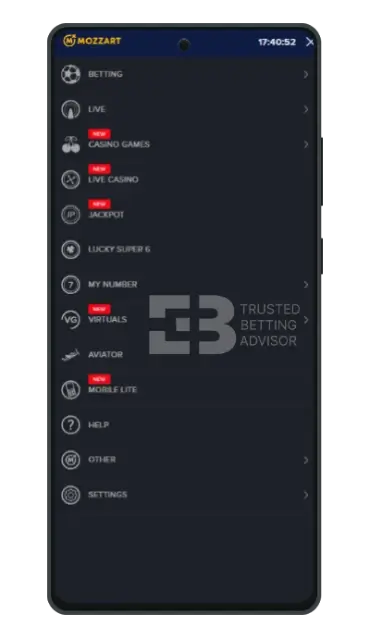
The Mozzartbet app for Android is a beautifully designed software for Nigerian users. Everything you’ve enjoyed on the website, from sports betting to casino games, is available in one click. To get the application, you will first need to visit the official website.
When the page opens, scroll down and look for the “Get it on Google Play” icon. Click it, and you’ll be redirected to the APK download page, where you can now download the Mozzartbet app for Android. This entire process is pretty quick and will take you less than 5 minutes.
Is Mozzartbet APK Available in the Google Market?
The Mozzartbet app download for Android is not listed on the Play Store. You can only get it in APK format for direct download from the bookmaker’s website. To successfully install it, you must allow installation from unknown sources and likely pause the Google Play Protect feature.
Mozzartbet App Download APK Requirements
Before installing the Mozzartbet download app on your Android smartphone, here are some device requirements to note:
| Latest App Version: | 26.39 |
| Compatibility: | Android 4.1 or higher |
| Storage Space Required: | At least 200 MB |
| Available in Google Play: | No |
How to Install Mozzartbet Android App
To complete the Mozzartbet app install download for Android, you can follow these steps below:
- Open the Mozzartbet website on a Google Chrome mobile browser.
- On the site’s footer, tap “Get it on Google Play” to access the download page.
- After downloading the APK, click the file to install it.
- When you get the unknown source warning, go to your device settings and turn on “Install Unknown Apps” for Chrome.
- Finally, return to the installation screen to finish installing the application.
How to Download Mozzartbet App Nigeria for iOS
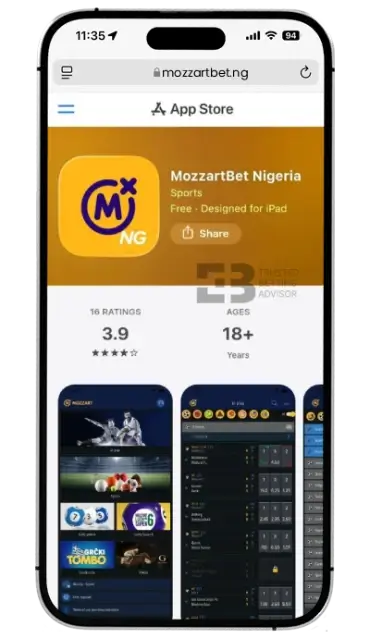
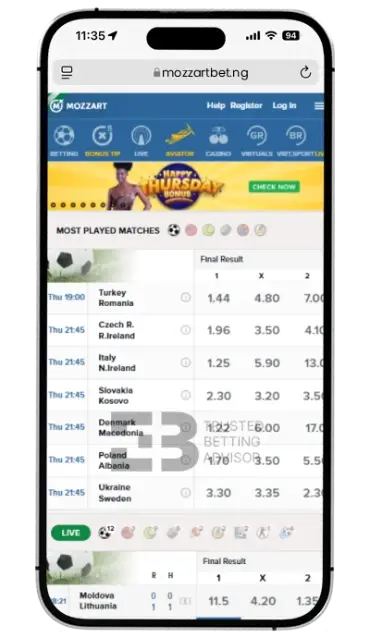
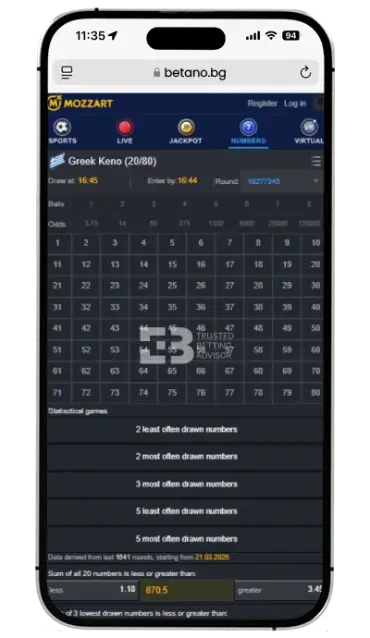
Unlike the Android version, Mozzartbet’s iOS application can be downloaded from the App Store and installed on your device seamlessly. It’s also packed full of sports betting products and casino games. To download Mozzartbet app on your device, the quickest route is still by visiting the official website.
Simply scroll down to the footer and click the “Download on the App Store” link. You’ll be redirected immediately to the application page on the Apple mobile market for Nigerian users. From there, you can then download the software and start using it.
Is Mozzartbet Mobile App Available in the Apple App Store?
The latest Mozartbet app download for iOS devices is available on the App Store. It’s built for iPhones and iPads and has a download size of 128.5 MB. The software currently has an average rating of 3.9 from customers who have downloaded and used it.
Mozzartbet App iOS Requirements
Below are some important requirements to remember before continuing with the Mozzartbet app download APK download on iOS:
| Latest App Version: | 2.4.9 |
| Compatibility: | iPhone – iOS 16.0 minimum iPad – iPadOS 16.0 minimum Mac – macOS 13.0 minimum and a Mac with an Apple M1 chip or later Apple Vision – visionOS 1.0 minimum |
| Storage Space Required: | At least 200 MB |
| Available in App Store: | Yes |
How to Install Mozzartbet Nigeria App on iPhone?
Nigerian bettors can complete the iOS Mozartbet app install download procedure by following these short steps:
- Open the Mozzartbet mobile website on your iPhone browser.
- Navigate to the site’s footer and click the “Download on the App Store” button.
- On the application page at the store, tap the “Download” button to begin the installation process.
- When completed, launch the software and start betting.
How to Use the Mozzartbet Mobile App?
The Mozzarbet app for Android and iOS smartphones is built to offer an unforgettable user experience to users. Once installed, the software integrates with the device’s design configuration to guarantee ease of use. A noticeable issue I noticed after launching the app, however, was the lack of a main menu button.
Usually, this is where in-app settings like push notifications and other features can be turned on or off. Instead, the designers have opted to go with a minimalist interface that requires less multi-step navigation. To start using the mobile application, you’ll need to sign in to an existing account or open one if you have none.
The Mozzartbet login and registration page is accessible from the profile button at the top right. Simply enter the information required and then visit the betting section you want from the homepage. If you want to simplify your sign-in process, ensure you auto save your login details using device features like Samsung Pass.
You should also activate your GPS location while using the Mozzartbet mobile app. When turned on, the software pinpoints it and makes all the games and sports betting options available for your location. Normally, you’ll be prompted to activate location services at first start-up, but you can also do it from your device settings.
Mozzartbet Sports Betting App
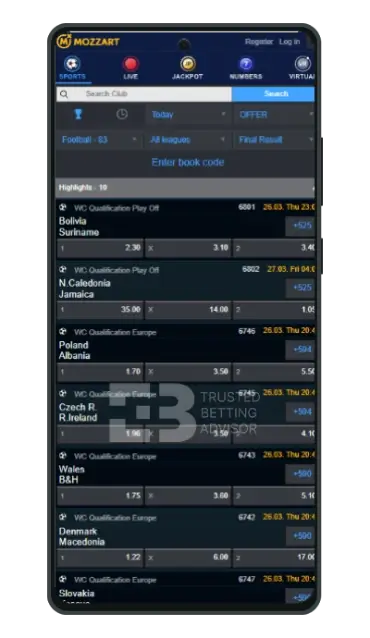
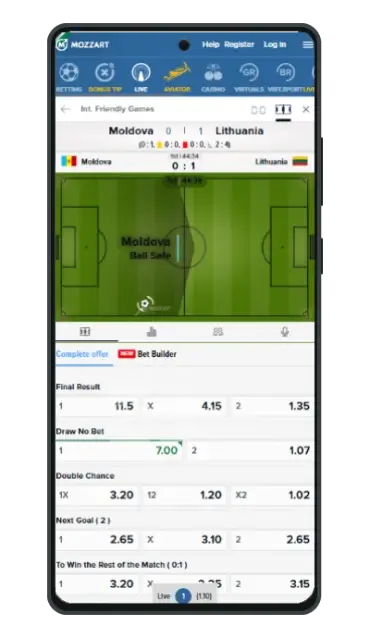
I was particularly impressed with how the sports section on the Mozzarbet app was designed. When you click the “Sport Betting” tab on the main page, a complete list of all featured sports is shown. There’s also a “Special offer” section with categories like top leagues, most played, and players. Among the top-listed sports, you can choose from football, basketball, tennis, hockey, and handball.
Tapping your preferred sports choice opens a drop-down list of leagues and tournaments. At least 1,000 pre-match and live events are available to bet on each day across the sportsbook. The betting markets are equally extensive, with up to 70 options during popular matches. The Mozzartbet sports betting app download is extremely light, so placing bets feels easy and smooth.
Mozzartbet Casino Games on a Mobile
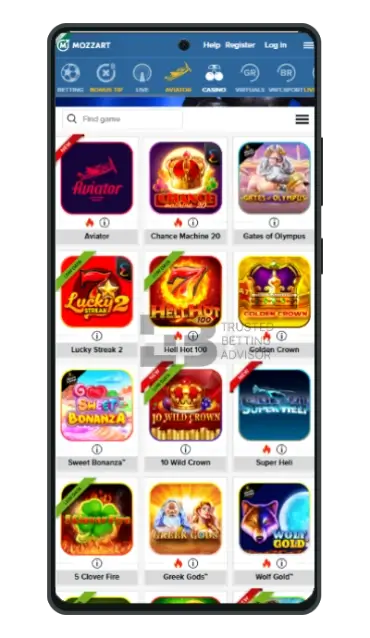
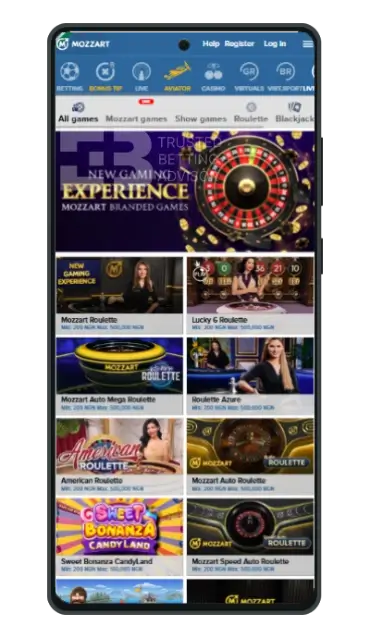
The casino section on the Mozzarbet app features a smaller number of games than the website. I noticed this quickly because I couldn’t find any live casino games among the lineup. The game types featured on the software are video slots, table games, instant wins, and lotto. Some popular titles you’ll come across are Wolf Gold, Hell Hot 100, Joker Stoker, and Chilli Heat.
In the “Fast Casino” section, more than 50 instant win games, including Aviator, are made available. Other popular ones on the app are Penalty Shoot Out, Courier Sweeper, Spaceman, and Super Heli. For “My Number” lotto games, you can play titles like Greek Keno, Italian 10 E, Hungarian Putto, and Polish Keno.
Mozzartbet Mobile Version Review
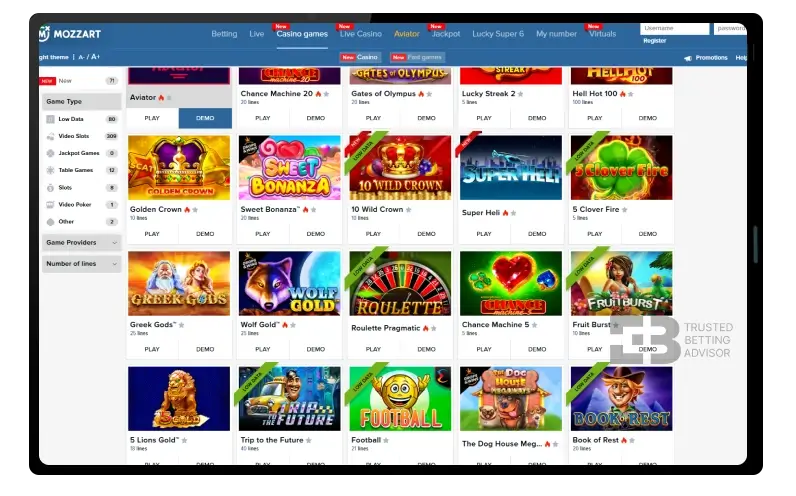
The mobile version of Mozzartbet is just a more compact alternative to the desktop site. It has the same features, functions, game selection, and sports options. One thing I noticed, however, is that unlike some bookmakers, the desktop website wasn’t developed specifically for PCs. It feels very much like an expanded version of the mobile site with the exact same UI.
For instance, the mobile option has a low-data “Lite” version you can switch to from the footer. This feature is also shown on the desktop website and tagged “Mobile Lite” instead of “Web Lite”. The bottom line is that you won’t miss anything by accessing the sportsbook with a mobile phone. It’s more convenient and simpler to navigate using advanced tools like gesture and pinch-zoom control.
Mozzartbet App Features
The features supported on the Mozzarbet mobile application aren’t any different from what’s available on the website. Here’s a quick overview of each:
- Cash Out – This feature lets you withdraw all or some of your stake if you feel a match isn’t going your way. It works on only live betting tickets and can be activated from your bet slip before a game ends.
- Live Streaming – The live broadcast option is available on the Mozzarbet app and adds lots of excitement to in-play betting. You can quickly identify which matches are covered by looking out for the play symbol on the event card.
- Book a bet – Whenever you want to share your bet selections with friends, this feature comes in handy. All you have to do is save your slip, generate a bet code, and click the “Share ticket” button at the bottom.
- Statistics – The statistics section is a dedicated data store for match analysis and insights. You’ll find lots of helpful information here to help you bet smarter, such as H2H, game log, and win/loss history.
Mozzartbet Mobile Bonus
App users are not offered a mobile-exclusive Mozzartbet bonus by the operator. However, customers who download the application can use the regular welcome offer that’s available through the website.
Mozzartbet Mobile App Payment Methods
All the banking options supported on the website are also available via the Mozzartbet app. Some featured types include internet banking, OPay, USSD, and instant credit. Here’s a table showing the deposit and withdrawal options and their respective limits:
| Payment Method | Deposit Minimum | Deposit Maximum | Time for Deposit | Taxes |
|---|---|---|---|---|
 Visa Visa | N100 | N250,000 | Instant | 0% |
 MasterCard MasterCard | N100 | N250,000 | Instant | 0% |
 Interswitch Interswitch | N100 | N250,000 | Instant | 0% |
 GTBank GTBank | N100 | N250,000 | Instant | 0% |
 Verve Verve | N100 | N250,000 | Instant | 0% |
 Kuda Bank Kuda Bank | N/A | N/A | N/A | 0% |
 USSD USSD | N100 | N250,000 | Instant | 0% |
 OPay OPay | N100 | N250,000 | Instant | 0% |
 Quickteller Quickteller | N100 | N250,000 | Instant | 0% |
| Payment Method | Withdrawal Minimum | Withdrawal Maximum | Time for Withdrawal | Taxes |
|---|---|---|---|---|
| Visa | N/A | N/A | N/A | 0% |
| MasterCard | N/A | N/A | N/A | 0% |
| Interswitch | N/A | N/A | N/A | 0% |
| GTBank | N/A | N/A | N/A | 0% |
| Verve | N/A | N/A | N/A | 0% |
| Kuda Bank | N1,000 | Not Stated | Not Stated 24-72 Hours | 0% |
| USSD | N/A | N/A | N/A | 0% |
| OPay | N1,000 | Not Stated | Instant to 24 hours | 0% |
| Quickteller | N/A | N/A | N/A | 0% |
FAQ
Is the Mozzartbet App Free?
Yes, the Mozzartbet mobile betting app is free to download and install on supported smartphones and tablets. The iOS version can be downloaded from the Apple App Store but the Android version is only available on the Mozzarbet website.
How to do Mozzartbet app download APK latest version?
You can download the Android APK latest version by first visiting the Mozzartbet mobile platform. At the bottom of the homepage, click the “Get it on Google Play” link to start downloading the file.
How to use Mozzartbet mobile lite?
If you want to use the mobile lite version of Mozzartbet, just open the regular website on a browser. Next, scroll to the footer and tap the blue “Mobile Lite” button to switch to the low-data site.

His work shows up across sportsbooks, casino operators, affiliate sites, and gaming brands. He covers slot mechanics, live dealer strategy, match previews, and value betting tactics. The goal is always the same: cut through the noise with content that actually helps players decide. That means comparing RTP percentages or reading a Champions League line with zero fluff.
From high-volatility slot reviews to CS2 esports markets, the range is broad. The mission isn't. Create content that informs, entertains, and converts.
When he's not dissecting bonus terms or hunting for +EV bets, he's probably lost in Football Manager.
