

Playbet App Download South Africa
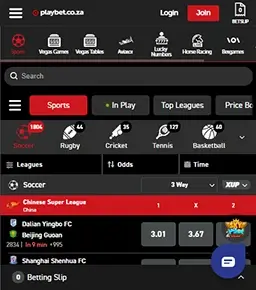
Playbet’s mobile app isn’t available for download on the Google Play Store or Apple App Store. South African bettors can enjoy the Playbet app experience by downloading the APK version straight from the official site.
Our team installed the APK file and tested the Play Bet app download against the desktop site. We found a similar experience with all betting sections to the desktop version. There’s little difference between the mobile version, mobile app, and desktop experience for South African bettors to anticipate.
How to Download Playbet App for Android
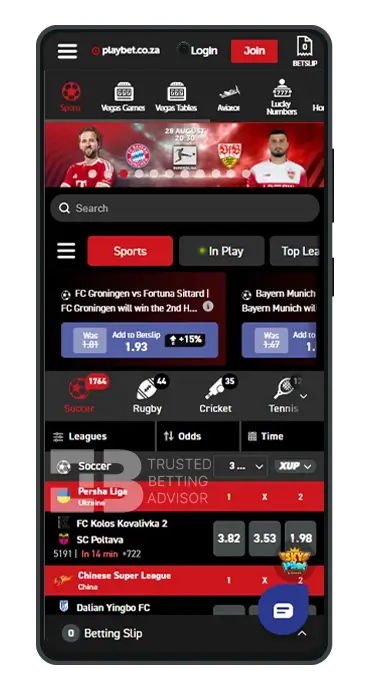
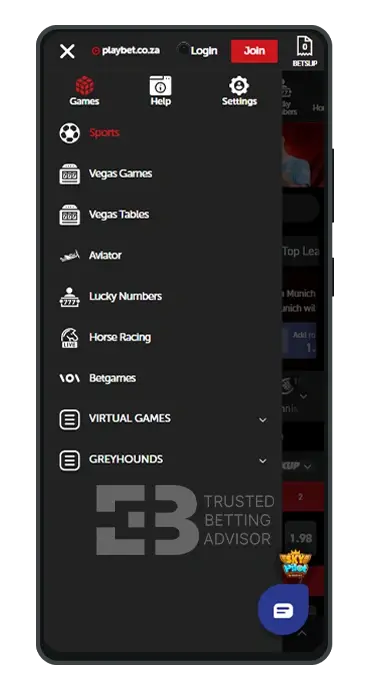
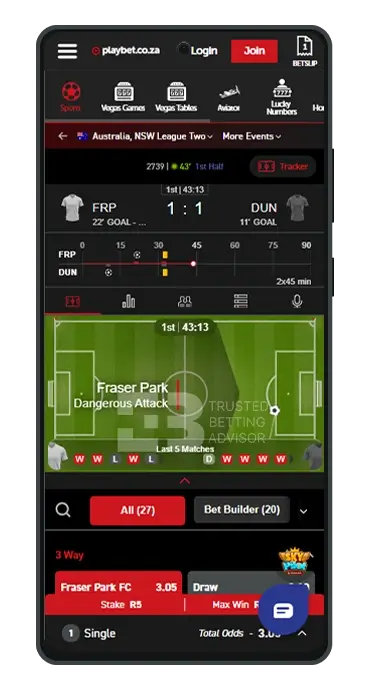
The Playbet app is available for download through an easy-to-install APK file. Installing the mobile app starts with downloading the official APK directly from the operator’s website. Follow these steps for a straightforward download experience:
- Open your mobile/desktop browser and search for the official Playbet.net website
- Click the menu at the top right of your screen labelled ‘Download Our App.’
- Select ‘Download for Android’ to start the process
- After completing the download process, open the file
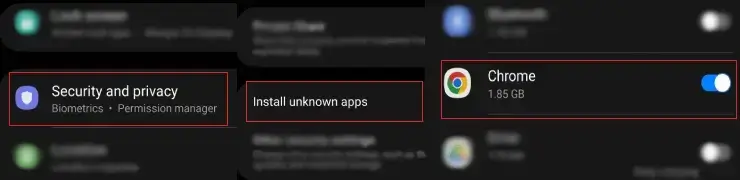
- Allow installations from unknown sources when prompted, then tap ‘install.’
Afterwards, you can log in to your account, deposit, and start placing wagers.
Is Playbet Apk Available in the Google Market?
No, Playbet’s app isn’t available through the Google Play Store. Similar to most South African betting platforms, it’s distributed as a direct APK download from the official site, playbet.net. This bypasses Google’s official app marketplace.
Playbet App Android Requirements
- Latest App Version: APK
- Compatibility: Android 13+
- Storage Space Required: 60.28 MB
How to Install Playbet Android App
The Playbet Android app isn’t available through the Google Play Store. However, you can install it through the APK available on the official Playbet website. Here is a simple process of installing the APK version on your Android device:
- Visit playbet.net on your Android browser.
- Head to the ‘Download Our App’ section in the top right corner.
- The app download screen appears with options based on your device.
- Choose between a 32-bit APK, a 64-bit APK, or From PC depending on whether it’s compatible with your device.
- The file app automatically starts downloading. After completing the download, click “Open.”
- Choose “Install” to begin the installation process of the “Playbet app.”
- A security message will pop up on your screen; click Settings to allow the app to install.
- Turn on the “Allow” button to allow app installation.
- The Playbet app will be downloaded to your phone’s home screen.
Is There a Playbet App for iOS?
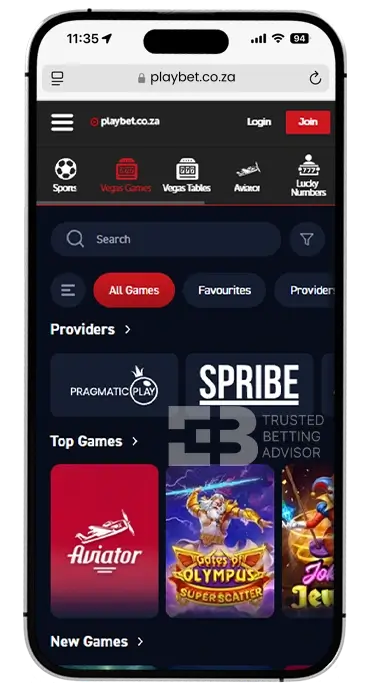
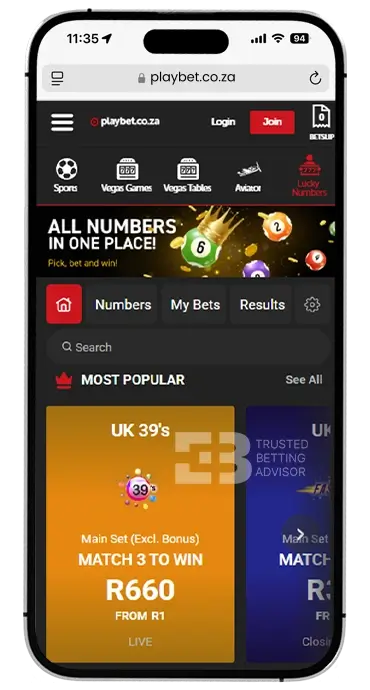
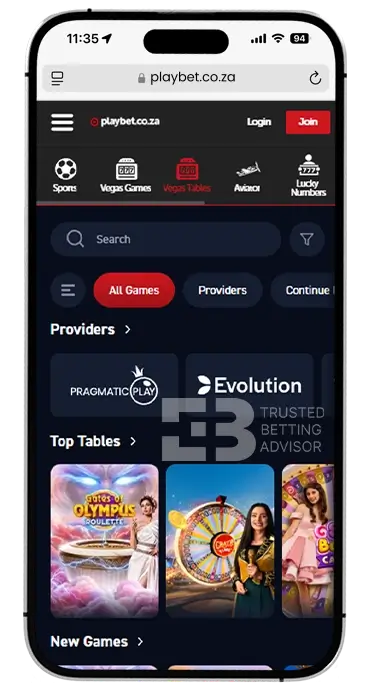
Unfortunately, Playbet has not developed an iOS app for iPhone users. Apple’s strict App Store guidelines around real-money gambling apps make approval difficult for developers. Hence, most developers find it easier to skip the process than navigate Apple’s harsh review requirements.
It’s more likely Playbet opted for the mobile user experience to accommodate iOS users wanting to bet on their platform. This eliminates the need and budget of maintaining a separate iOS build. iPhone users can get a similar app experience directly from their mobile browser like Safari or Chrome.
Is Playbet App Available in the Apple App Store?
No, Playbet app isn’t available in the Apple App Store. However, iOS users can still access Playbet through the mobile browser version through Safari or Chrome.
How to Use the Playbet Mobile App?
After installing the Playbet mobile app, it feels almost identical to the browser version, only a bit faster, sleeker, and more responsive. The bottom navigation gives access to Sports, Deposits, and My Bets. Switching between sections doesn’t mean digging through long menus.
Logging into the mobile app drops you straight into the homepage that’s similar to the desktop version. You’ll find the sportsbook where live matches and top leagues sit front and center. Placing bets works the same as on desktop: tap the odds, adjust your stake, and confirm the betslip. We deposited with Walletdoc, and our amount was reflected after five minutes.
Football bettors can get the most out of the mobile app by enabling notifications. This means you don’t miss out on fixture lists, live odds, or price boosts, and you can bookmark your favorite leagues under “Top Leagues” to skip scrolling.
Crash game enthusiasts will find a noticeably faster experience on the mobile app than through the mobile browser tab.
Playbet App Login and Registration
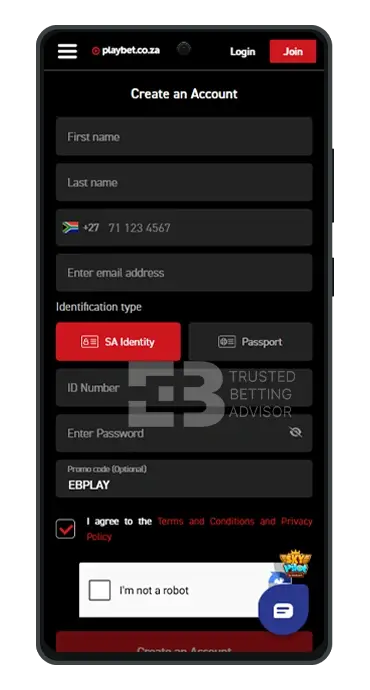
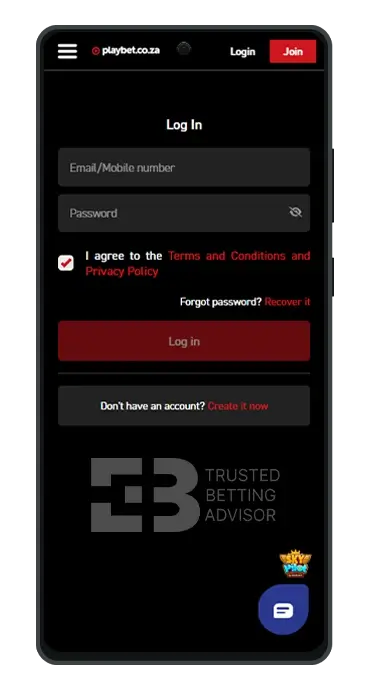
The registration and login process with the mobile app is similar to the browser version. Here is a simple way of getting started at Playbet through their mobile app:
- Open the Playbet app.
- Tap ‘Register’ on the welcome screen.
- Fill in the required account information and personal details.
- Enter the EBPLAY promo code.
- Complete security check-up with reCAPTCHA.
- Tap ‘Create Account.’
After completing the registration process, it’s time to log in. You’ll need the email address and password to access your account. Accept the terms and conditions and privacy policy and log into your account. Our registration and login experience took less than five minutes
Playbet Sports Betting App
Our first experience with the Play bet mobile app was placing a bet on a football fixture. The homepage features the sports section, where a simple tap unlocks the available sports in the left-hand column in descending order. The layout condenses nicely for smaller screens with league filters above the match grid.
We chose football and the Premier League, which opened the match listings. Each EPL fixture had over 20+ betting markets, with popular ones like 3-way, Double Chance, BTTS, Handicap, and others. Placing a bet was simple, and tapping odds instantly opened the bet slip at the bottom of the screen. In-play odds updated fast, and luckily our highlighted match received a +15% price boost.
Playbet Casino Games on a Mobile
Our mobile gaming experience at Playbet was smooth, simple, and engaging, quite similar to the desktop version. The slots lobby loaded instantly with a responsive design for all screen sizes. It was easy to navigate hundreds of slot titles available with touch-friendly game controls. Each slot game had clear visuals with graphics optimization. The mobile developer adopted smart layouts with adaptive mobile game layouts.
Our second stop was “Vegas Tables,” where traditional table games featured a simple and engaging UI/UX design. The live casino tables were streaming in HD from professional studios. However, we did experience some dip in quality on weaker 4G connections compared to Wi-Fi. Aviator and Betgames performed well with instant loading and high response for taps during fast-paced rounds without freezing.
Playbet Mobile Version Review
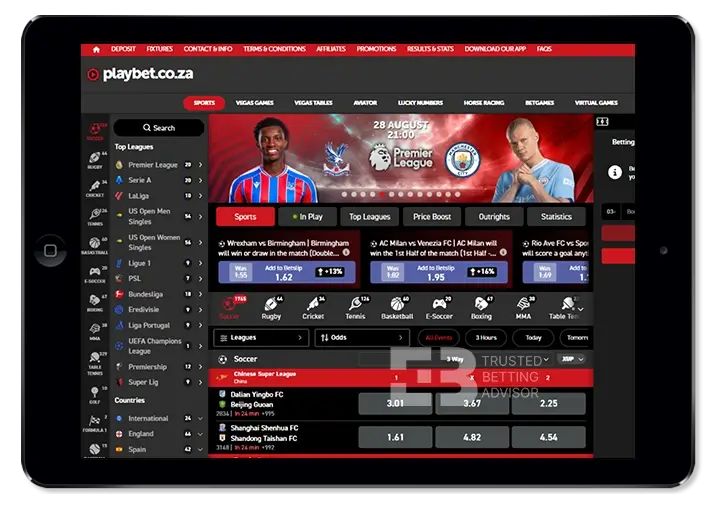
Moving from the desktop site to the mobile site felt like the developers condensed the desktop features to fit into smaller screens. The login experience is similar, with your email address and password needed to access your account.
After our login to Playbet, we were directed to the main homepage. We still assessed all product listings from Sports, Vegas Games, Aviator, Lucky Numbers, and others through the same navigation. There’s nothing hidden or removed from the main menu.
Placing bets worked similarly to the desktop experience. Browse available sports and their markets, select your preferred one, and add it to the betslip.
The main difference we noted was the layout, not the function. The product listings were stacked vertically instead of sitting side-by-side.
Playbet App Features
The mobile app at Playbet comes with built-in features to improve your gambling experience at the online operator. These are tailor-made to offer convenience with your betting experience. Here are some of the most innovative features available:
The cash out feature allows you to settle a bet early before the match ends. You’re able to lock in profit or cut losses depending on the match momentum. It works both on singles and multiples with real-time updates based on match conditions and remaining odds.
The early payout feature allows you to receive payouts early on qualifying soccer bets once your backed team goes one, two, or three goals ahead. This is regardless of the eventual final match result. You can find the early payout offers branded as 1UP, 2UP, or 3UP promotions in available markets.
Selected fixtures on Playbet receive the ‘Price Boost’ offer that enhances odds on selected markets. During our tests, one of our match selections received a +15% boost that applied automatically without a promo step or manual claiming.
The Fixtures section lists upcoming matches across every sport covered by Playbet. This lets you plan rather than searching manually through thousands of match listings. You subscribed to an email newsletter to receive regular updates on your favored teams’ upcoming fixtures.
Playbet Mobile Bonus

Playbet doesn’t run an exclusive mobile bonus for mobile players. New customers can still claim the standard three-part welcome bonus, Playbet bonus code, and no-deposit bonus, available on both mobile and desktop.
- Max. Amount: R20,000
- Percentage: 100%
- Min. Deposit: R50
- Bonus code:
Playbet Mobile App Payment Methods
The same payment methods you’d find with the desktop site are mirrored on the mobile version. We found no dedicated SMS deposit option during our testing. You can fund your account through the standard methods, including the following:
| Payment Method | Deposit Minimum | Deposit Maximum | Time for Deposit | Minimum Withdrawal | Withdrawal Maximum | Time for Withdrawal | Taxes |
|---|---|---|---|---|---|---|---|
 WalletDoc WalletDoc | R10 | R500,000 | Instant | Not disclosed | Not disclosed | 30 minutes | None |
 Ozow Ozow | R10 | R500,000 | Instant | Not disclosed | Not disclosed | Up to 48 hours | None |
 Visa Visa | R10 | R500,000 | Instant | Not disclosed | Not disclosed | Up to 48 hours | None |
 OTT Vouchers OTT Vouchers | R10 | R5,000 | Instant | Not disclosed | Not disclosed | Up to 48 hours | None |
FAQ
Is the Playbet App Free?
Yes, downloading the Playbet app is free through their official site at playbet.net. You’ll only need data or WiFi, and about 100 MB of space.
Does Playbet have an app for iPhones?
No, Playbet doesn’t have an app for iPhone users. However, iPhone users can still access Playbet through a browser like Safari or Chrome with the same betting experience as the mobile app.
Is the Playbet APK safe?
Yes, downloading the Playbet APK is safe to install from the official site at playbet.net. We recommend avoiding third-party sites since Playbet only endorses downloads through its official page.
Why is Playbet not on the Google Play Store?
Google’s strict policies on real-money gambling apps make Google Play Store approval difficult for most South African bookmakers.
Can you play Playbet casino games on mobile?
Yes, Playbet’s mobile version is optimized to handle mobile playing of casino games. You get a similar experience to the desktop version with easy navigation and high-quality graphics.