

BC Game Mobile App
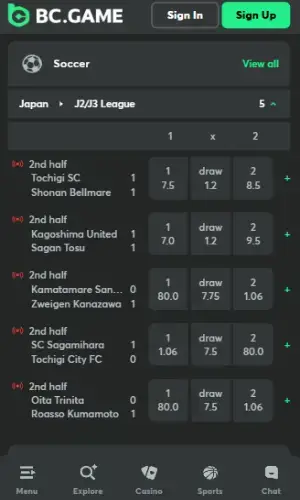
After taking my time to test the site from a mobile device, I can confirm that the BC.Game app is a standout choice for Kenyan bettors who want a desktop-grade experience in their pocket.
While you won’t find a traditional APK file for Android, the online sportsbook uses a sophisticated Progressive Web App (PWA) system that functions exactly like a native application.
For iPhone users, there is a dedicated version listed as “BCGame KE” in the Apple App Store, specifically tailored for the Kenyan market under Blockdance Africa Ltd. My testing showed that both the iOS app and the PWA contain every single betting section available on the desktop site.
Whether you decide to download the BC Game app via a homescreen shortcut or use the iOS store version, the transition is seamless, offering the same high-speed crypto and fiat transactions I enjoyed on my laptop.
How to Download BC Game App for iOS
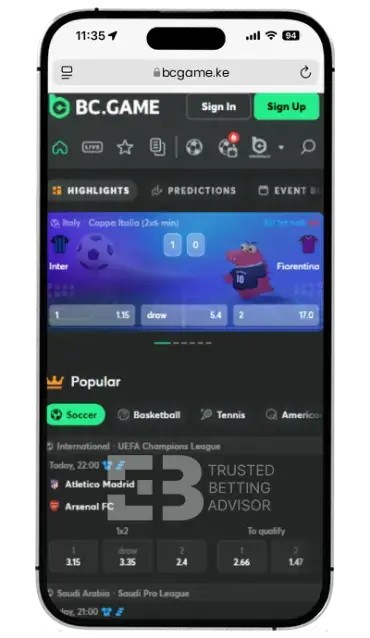
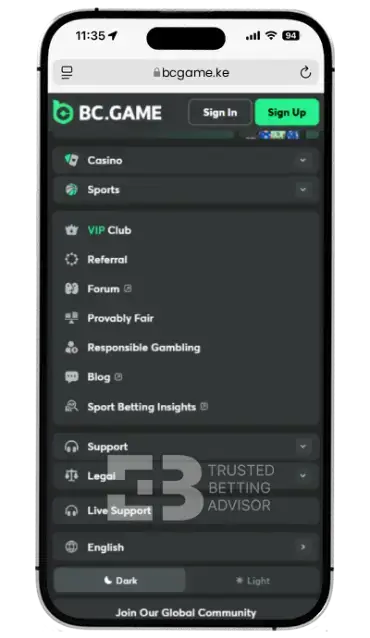
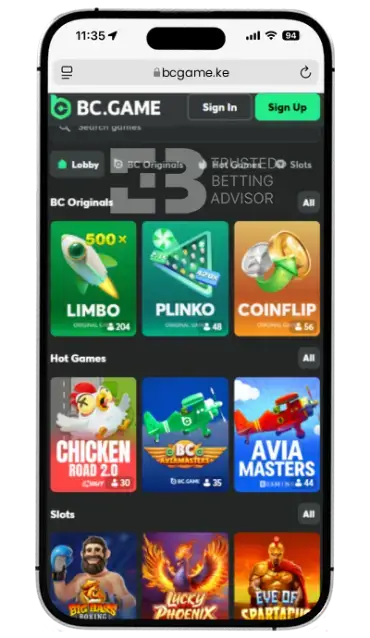
If you are using an iPhone or iPad, getting the application is straightforward because BC Game has a presence in the official store for Kenya.
- To start, simply open your App Store and search for “BCGame KE” which is the licensed version for the local market.
- Once you’ve located the app, you can kick off the BC Game download immediately. The file size is surprisingly light – coming in at under 100 MB – so you’re looking at about a minute of wait time before it’s ready for installation.
If you’re someone who actually liked the BC Game old mobile style, you’ll be glad to know that the dedicated app sticks to that same clean, classic layout. Long-time users usually prefer this because it cuts out the clutter and keeps the interface simple. I’d definitely recommend sticking to the official App Store for this; it’s the most reliable way to ensure you’re getting the latest security patches and updates pushed directly from Apple.
Is BC.Game App Available in the Apple App Store?
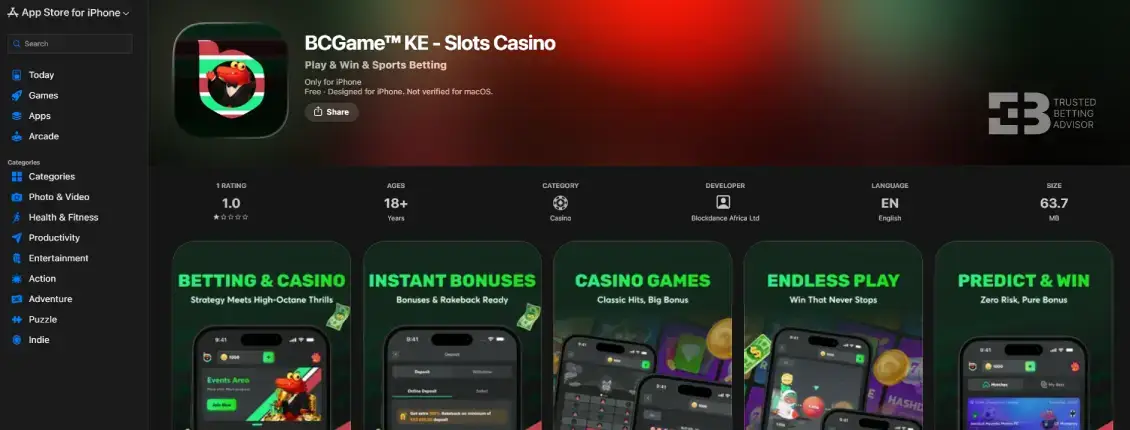
Yes, unlike many other crypto-focused platforms that struggle with store listings, the BC.Game app is available in the Apple App Store for Kenyan users. It is listed under the name “BCGame KE” and is operated by Blockdance Africa Ltd, which holds the necessary local licenses.
This makes the BC Game download process much easier for iOS users compared to Android ones, who must rely on web-based shortcuts. The iOS app is free to get, but it doesn’t have any rating yet because not enough users have rated it. This is rather unfortunate, given how professionally developed the application is and how well it handles live odds and high-resolution casino graphics. Having it in the official store also means it has passed Apple’s rigorous security checks, providing peace of mind regarding your data and funds while you play.
BC. Game App iOS Requirements
The BC.Game app is really lightweight, and it won’t eat your hard drive space. However, your iPhone needs to be relatively new, and you should have less than 100 MB of free space on it. During the time of doing this app review, here are the technical details which my iPhone had to meet:
| Latest App Version: | 1.1 (BCGame KE) |
| Compatibility: | iOS 13.0 or later (iPhone, iPod touch); macOS 11 (Mac) |
| Storage Space Required: | Approximately 62.9 MB |
| Available in App Store: | Yes |
How to Install BC Game App on iPhone?
To ensure a smooth mobile experience, install the BC.Game app on an iOS device is a straightforward process that aligns with standard Apple ecosystem protocols. During my recent setup on an iPhone 13, the entire procedure – from initial search to fully operational software – was completed in approximately two minutes, demonstrating the app’s lightweight and efficient design.
If you are looking to transition your betting to mobile, follow these professional steps to ensure a secure installation:
- Open the Apple App Store and search for “BCGame KE“.
- Tap the “Get” icon to start the download.
- Once the download is finished, tap “Open” to install the BC game app iOS.
- Lastly, log in with your existing details or register a new account to synchronise your profile and start betting immediately.
BC Game App Download for Android
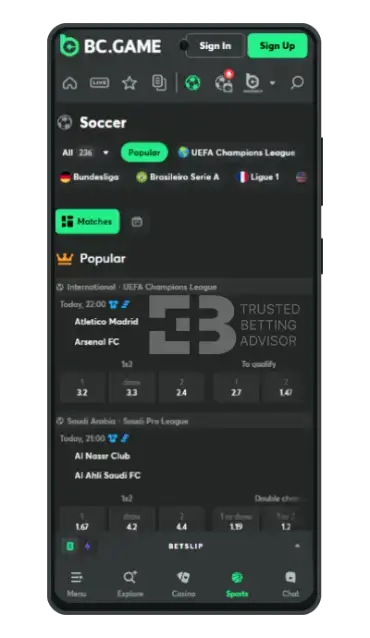
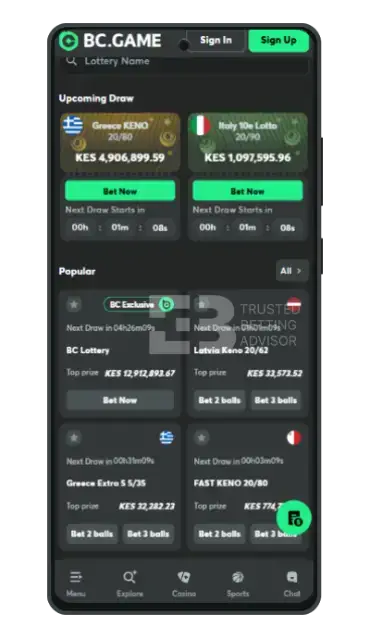
Since BC Game uses a Progressive Web App (PWA) approach, there isn’t a standalone APK file for BC Game download Android. Instead, you will have to create a shortcut that mirrors the full app experience.
To download the BC.Game Kenya mobile interface, simply visit the official website through your Android Chrome browser. Tap the three dots in the top-right corner, then select “Install App” to add it to your device instantly.
This places the BC.Game app icon directly on your home screen. This method is actually superior for many Kenyan punters because it doesn’t take up massive amounts of internal storage, yet it still provides the fast-loading, full-screen interface that a BC Game betting app should offer.
How to Use the BC Game Mobile App?
Once that icon is on your screen, learning how to use BC Game app is actually pretty seamless. Everything is split into two clear sections: Casino and Sports. You’ll see a handy navigation bar at the bottom to hop between your wallet, the menu, and the search tool. Also, if you want to make your life easier and have a specific slot in mind, just use the search bar after the app has loaded.
With 8,000+ titles, you could be scrolling forever! The same goes for the sports section, where there are thousands of events weekly.
Also, the BC.Game app makes it really easy to track your bonus progress under the “Promotions” tab. Oh, and if you’re playing late at night, definitely try toggling on dark mode – your eyes will thank you.
How to Get BC Game Old Mobile?
It’s pretty common for Kenyan users to go hunting for the BC Game old mobile version. Usually, it’s because the “classic” sportsbook layout was a bit leaner and didn’t hog as much memory. While the site defaults to the latest update, you can actually mimic that older feel by tweaking the view settings in your profile.
A lot of long-time players want to know how to access old mobile BC Game because it just felt snappier on older phones. If the latest BC Game apk-style shortcut feels a bit sluggish on your device, try switching to the “Lite” version or just stick to the basic browser view. It cuts out the flashy animations and keeps things running smoothly.
Sports App Review
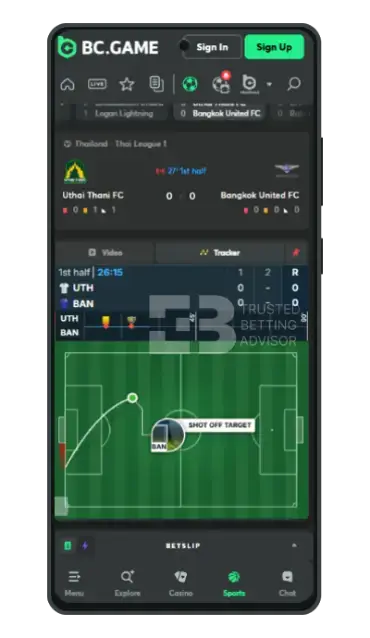
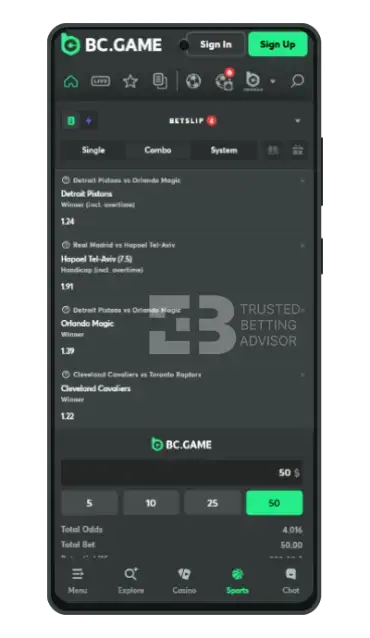
The sports section is easily the best part of the whole mobile experience. As soon as you login BC Game, you’ll see a massive variety of markets, covering everything from the Premier League to niche sports like Rowing and Floorball.
I really loved the live betting interface; the odds update almost instantly, which is a lifesaver when you’re wagering in-play. The BC Game mobile app also has a super clean “My Bets” section, so you can check your active tickets with one tap. Whether you’re into football or cricket, the experience is top-notch. Overall, I can say that the sports app feels like a high-end tool built for people who actually care about speed.
BC Game Mobile Casino
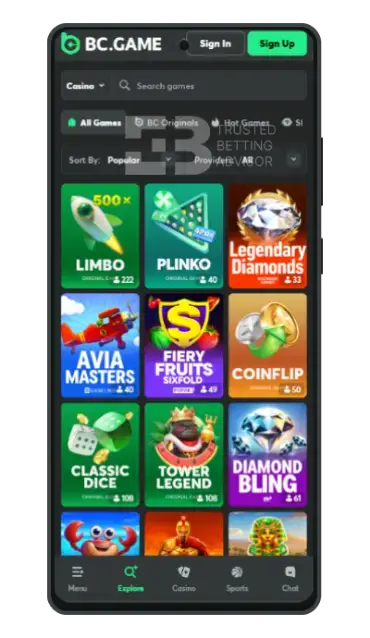
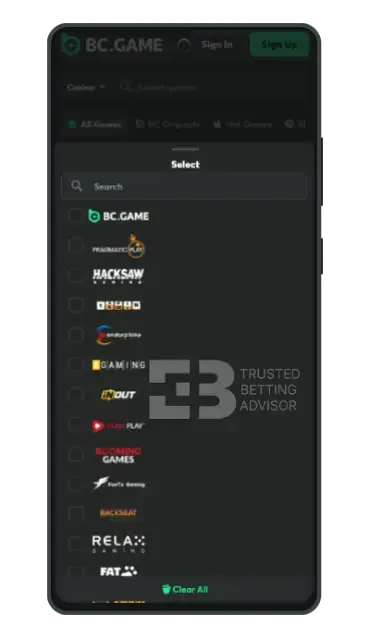
For any casino fan, the BC.Game app basically feels like a playground. I spent some time testing newly-released slots and live dealer games like Evolution’s Lightning Roulette, and honestly, the performance was flawless.
Even without a traditional BC Game download apk for Android, the PWA version handles those flashy modern graphics without any lag at all. I also loved how “BC Originals” like Crash and Limbo are optimised for vertical play – it’s super easy to play with one hand while you’re out and about. In addition, the live streams stayed perfectly stable even on a basic 4G connection, which shows they’ve really dialled in the data efficiency.
BC Game Mobile Version Review
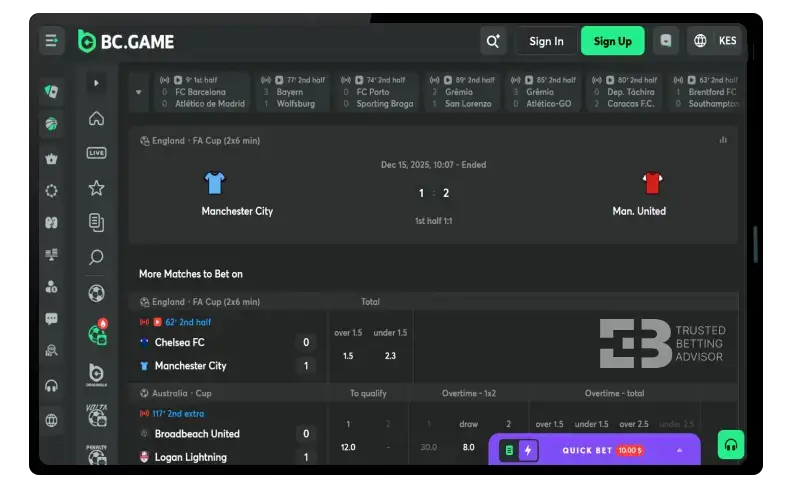
For those who don’t want to install anything, the standard mobile version accessible via any browser is excellent. It looks and feels just like the BC.Game app, but you can run the whole thing right in your browser. When I tried it out, I was impressed by how fast and responsive it is. The layout fits perfectly, no matter what screen size you’re using.
While the BC Game app download apk offers a slightly faster launch time, the mobile site is perfect for a quick bet without any commitment. All functions – including the VIP club, the global chat, and the help centre – are fully operational. It is a great alternative if you are using a public device or simply want to keep your phone’s home screen clean.
BC Game App Features
The BC.Game app isn’t just for the ordinary punter. It’s actually loaded with betting tools that make life a lot easier. Here is a breakdown of the top features you should use:
This is my personal favourite. Since its introduction in 2012, this has been the first and most important tool I have looked for when testing a sportsbook. It’s a total game-changer for sports betting.
While testing BC Game, I used the cash out feature during a football match when the team I’d backed started to fall apart in the second half. Instead of sweating it out and losing everything, I settled the bet early. It’s a great way to walk away with a guaranteed profit or at least keep your losses from spiralling before the game ends.
For those who like to customise their experience, the Bet Builder at BC Game is fantastic. It allows you to combine different markets from the same event – like total goals, corners, and a specific goalscorer – into one single wager. It is all integrated smoothly into the BC Game mobile app bet slip.
I noticed that the app frequently highlights “Hot” events with enhanced prices. These boosted odds give you a better payout than the standard market rate. It’s easily accessible through the sports menu, and I found it to be one of the most rewarding parts of using the BC.Game app daily.
One of the best perks of using the iOS app or the Android PWA is the push notifications feature. You can set up real-time alerts, so you’re always in the loop on your best results or new promos. It’s pretty useful for catching those random, limited-time bonuses or high-value bets that you’d normally miss if you weren’t glued to your screen.
BC Game Mobile Bonus
While there isn’t a specific “mobile-only” reward, you can claim a massive welcome package. When registering, you can enter the BC Game promo code BETKE to ensure you get the best possible start.
- Max. Amount: 2 578 335 KES
- Min. Deposit: 1300 KES
- Bonus code:
- Wagering: 20x
BC Game Mobile App Payment Methods
Although BC Game is a crypto gambling site, the BC.Game app supports M-Pesa as the only possible way to deposit and withdraw funds. Even so, the popular mobile banking service in Kenya provides fast speeds and world-class security, so players should not feel the absence of other banking methods.
| Payment Method | Deposit Minimum | Deposit Maximum | Time for Deposit | Taxes |
|---|---|---|---|---|
 M-Pesa M-Pesa | KES 20 | KES 150,000 | Instant | 5% |
| Payment Method | Withdrawal Minimum | Withdrawal Maximum | Time for Withdrawal | Taxes |
|---|---|---|---|---|
| M-Pesa | KES 50 | KES 300,000 | 1 Min | 5% |
FAQ
Is the BC Game Kenya App Free?
Yes, the app is completely free to download from the Apple App Store or to install as a PWA on Android.
Is the BC Game mobile app data-free?
No, you will need an active internet connection (cellular data or Wi-Fi) to place bets and play casino games.
How to place a bet on BC Game app?
Select your sport, click on the odds for your chosen outcome, enter your stake in the betslip, and tap “Place Bet.”
How to access BC Game old mobile?
You can try using the “Lite” mode in settings or access the site via an older browser to trigger the old layout.