

Vavada App & Mobile Version
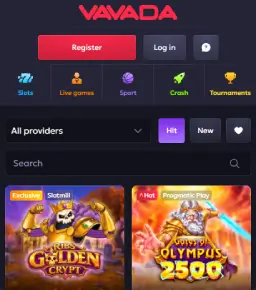
It felt good knowing that Vavada Casino offers a downloadable mobile app for Android and iOS devices. Both versions can be downloaded from the website using the links provided in the footer. However, the iOS version can also be found on the App Store, but only for specific regions. The Vavada app is a more convenient alternative to the desktop and mobile sites. Games load quickly, and you’ll enjoy smooth, uninterrupted gameplay in every session. Keep reading to learn how to download and install the application and start using it for your Vavada betting and gaming.
How to Download Vavada App for Android
You’ll have to visit the official website to download Vavada mobile app for Android. It’s provided in the raw APK format, but you don’t have to worry about whether it’s legit as long as you use the link provided.
To start downloading it, go to the bottom of the page and look for the green-colored “App for Android” button. On some Android devices, a download banner may also appear on the screen once you open the website in Chrome.
Is Vavada APK Available in the Google Market?
Vavada’s Android APK is not listed on the Play Store, but this won’t be a problem. The file link provided on the website is safe and won’t harm your device.
Vavada App Android Requirements
Before installing the Vavada mobile app, here are important requirements to keep in mind.
- Latest app version: 2.0
- Compatibility: Android 8.0 or newer
- Storage space required: Approximately 100 MB
How to Install Vavada APK?
If your Android device meets the specifications above, then you can go ahead and install the Vavada app. Here are the steps I used to get mine done:
- Open the Vavada website on a mobile browser, preferably Google Chrome.
- Scroll to the site’s footer and tap the “App for Android” link.
- On the APK download page, click “Download” and allow the process to finish.
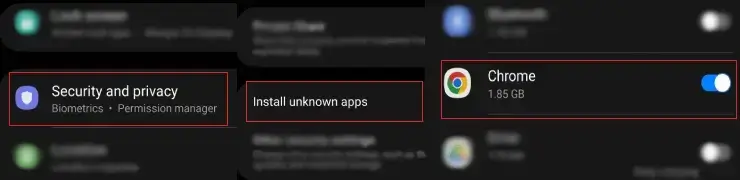
- Go to your device’s “Settings” to authorize installation from unknown sources.
- The APK will now be installed successfully.
How to Download Vavada App for iOS
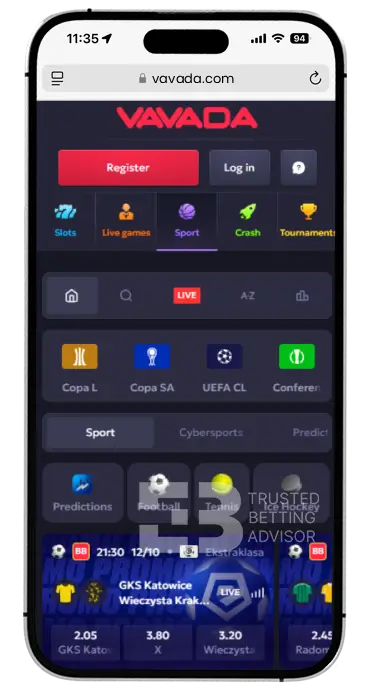
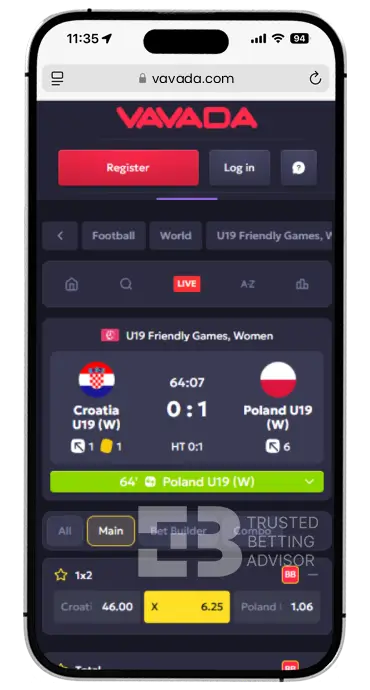
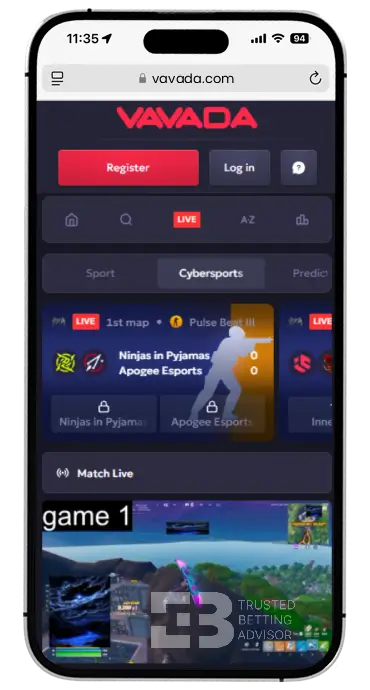
An iOS version of the Vavada Casino app is also available to download on iPhones. Unlike the Android version, you’ll find the iOS software on the App Store in supported regions. For unsupported locations, a progressive web app (PWA) can be used instead.
Regardless, I advise you to visit Vavada’s website to use the link provided. Simply scroll to the bottom and tap the “App for iOS” button. This will either take you to the official App Store listing or prompt you to install the PWA shortcut.
Is the Vavada App Available in the Apple App Store?
The Vavada iOS application is available on the App Store, but only in some regions. So instead of visiting the website, you can just head to the store to install it directly.
Vavada App iOS Requirements
If you’re using an iPhone, take note of these requirements before downloading the Vavada mobile app on it.
- Latest App Version: N/A
- Compatibility: iOS 13.0 or newer
- Storage Space Required: At least 200 MB
How to Install Vavada App on iPhone?
To install the iOS Vavada mobile app, you can use these steps to get it done in just 2-3 minutes:
- Launch Vavada on your iPhone’s mobile browser (Safari).
- Scroll to the bottom of the screen and click the “App for iOS” link.
- On the App Store listing for Vavada online casino, click “Get” to start downloading the software.
- Wait for the installation to complete, and that’s it.
How to Use the Vavada Mobile App?
Whether you have the Android or iOS version, the Vavada application has been built for ease of use. The interface adapts smoothly to any screen size and responds quickly to touches and swipes. For the most part, the app is not different from the mobile website. There’s a menu that provides quick access to tournaments, bonuses, and live chat.
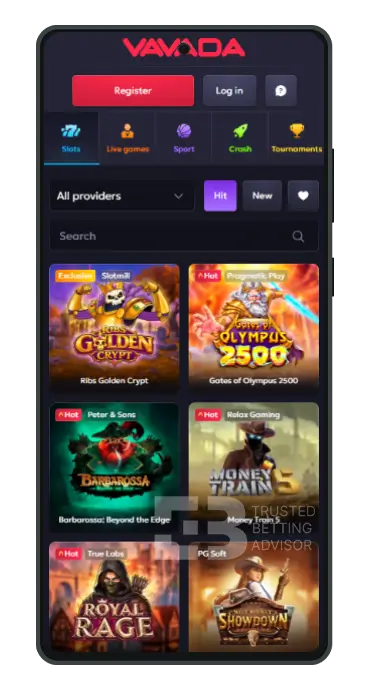
Plus, you’ll find a provider filter close to the top, followed by a search bar underneath. Once you’re logged in, you can access the cashier from the main menu to make payments and start playing games.
Keep in mind that the Vavada iOS app is only available in certain countries. Just because you could install it from an unsupported location doesn’t mean you’ll be able to play real-money games.
Vavada App Login and Registration
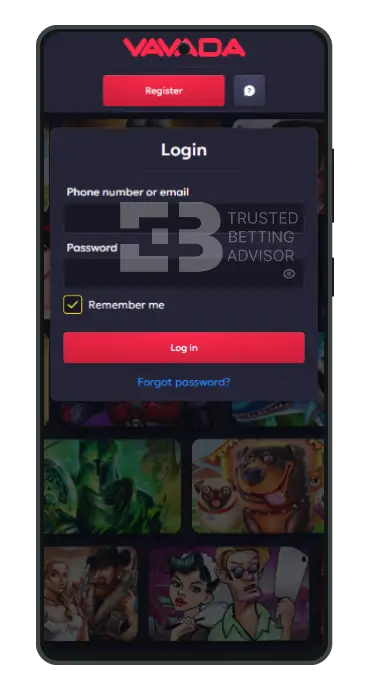
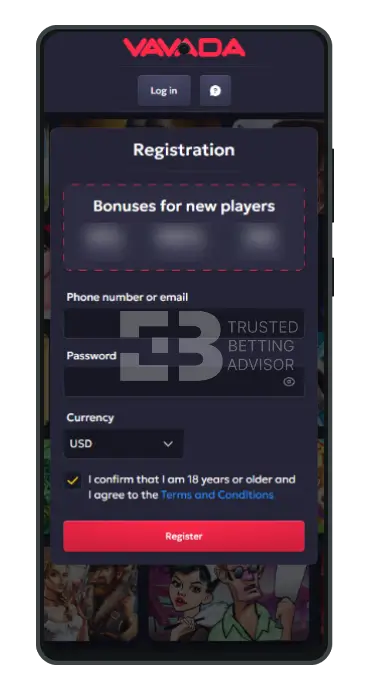
After getting your hands on the Vavada mobile application, the first thing to do is to open an account. That’s the only way you can find your account and claim the welcome bonus for new users. So how would you do this? Just follow these steps below:
- Launch the Vavada Casino app on your mobile device.
- Click the “Register” button at the top.
- On the sign-up form, enter your phone number or email address, followed by a password.
- Confirm your age (18+) and agree to the site’s Terms and Conditions.
- Finish up by hitting the “Register” button, and you’re done.
Vavada Casino Games on a Mobile
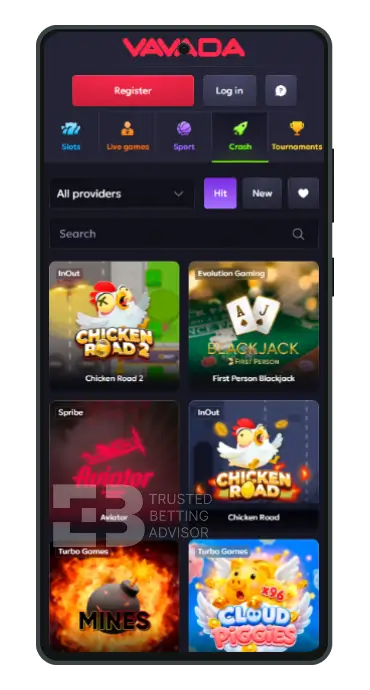
One of the positives of the UI on the Vavada app is its usability. Every game category has a sub-filter for providers that allows you to narrow the titles by studio. You’ll also see “New” and “Hot” markers that help you identify the latest and popular games. For most slots and crash titles, demo versions are supported in case you just want to test-run a game.
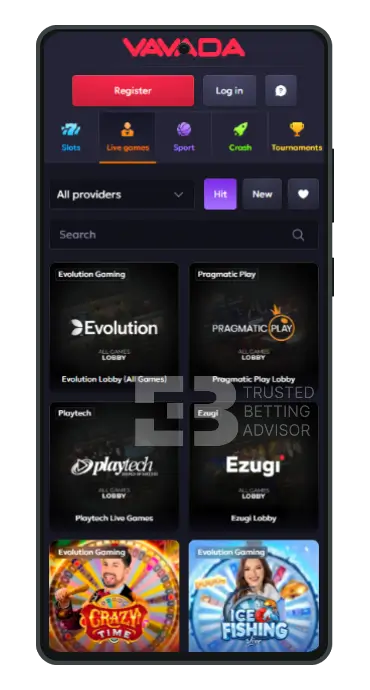
However, live casino games can’t be played in demo mode, so you’ll have to log in and have a funded account. From my tests, the gameplay is smooth and without any lag or unexpected crashes. All games load directly in the app, taking less than a minute to fully render on the screen. I noticed that on some live games, the orientation may switch to landscape view. If that happens, just rotate your device 180° to keep playing.
Vavada Mobile Version Review
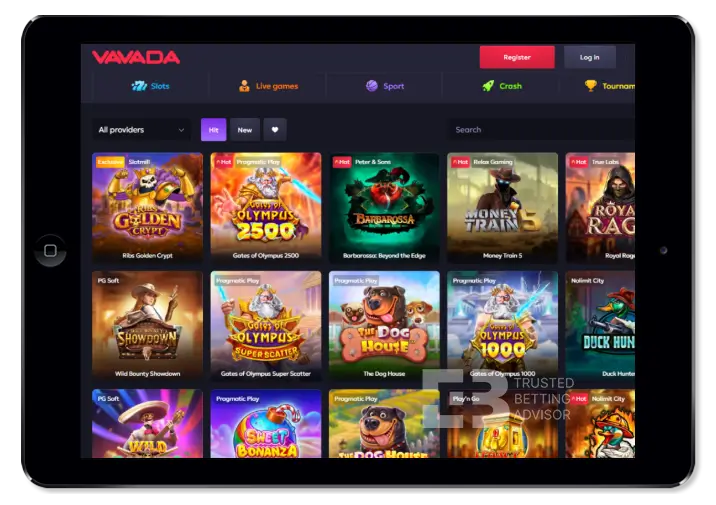
The mobile website of Vavada Online Casino can be accessed with most browsers. However, I recommend using either Chrome or Safari for the best experience. There aren’t any specific functions on the mobile version that are not available on desktops. It’s just that the lobby and overall platform have a more streamlined look. The games are listed in portrait mode and require more scrolling than the landscape format on desktops.
Vavada Mobile App Payment Methods
Over 30 banking options, including cryptocurrencies, can be used to make deposits and withdrawals on the Vavada app. Mobile money options like Google Pay and Apple Pay, plus Pay By Mobile, may be supported based on location. The table below provides a general overview of the payment methods I found while testing the application.
| Payment Method | Deposit Minimum | Deposit Maximum | Time for Deposit | Minimum Withdrawal | Withdrawal Maximum | Time for Withdrawal |
|---|---|---|---|---|---|---|
 Visa Visa | $1 | Not Stated | Instant | $10 | Not Stated | 24 Hours |
 Bank Wire Transfer Bank Wire Transfer | $1 | Not Stated | Instant | $10 | Not Stated | 24 Hours |
 Neteller Neteller | $1 | Not Stated | Instant | $10 | Not Stated | 24 Hours |
 Skrill Skrill | $1 | Not Stated | Instant | $10 | Not Stated | 24 Hours |
 MasterCard MasterCard | $1 | Not Stated | Instant | $10 | Not Stated | 24 Hours |
 WebMoney WebMoney | $1 | Not Stated | Instant | $10 | Not Stated | 24 Hours |
 Yandex Money Yandex Money | $1 | Not Stated | Instant | $10 | Not Stated | 24 Hours |
 Bitcoin Bitcoin | $1 | Not Stated | Instant | $10 | Not Stated | 24 Hours |
 Rapid Transfer Rapid Transfer | $1 | Not Stated | Instant | $10 | Not Stated | 24 Hours |
 Qiwi Qiwi | $1 | Not Stated | Instant | $10 | Not Stated | 24 Hours |
 Boleto Boleto | $1 | Not Stated | Instant | $10 | Not Stated | 24 Hours |
 Litecoin Litecoin | $1 | Not Stated | Instant | $10 | Not Stated | 24 Hours |
 Jeton Wallet Jeton Wallet | $1 | Not Stated | Instant | $10 | Not Stated | 24 Hours |
 Sepa Sepa | $1 | Not Stated | Instant | $10 | Not Stated | 24 Hours |
 ApplePay ApplePay | $1 | Not Stated | Instant | $10 | Not Stated | 24 Hours |
 Ethereum Ethereum | $1 | Not Stated | Instant | $10 | Not Stated | 24 Hours |
 MuchBetter MuchBetter | $1 | Not Stated | Instant | $10 | Not Stated | 24 Hours |
 Piastrix Piastrix | $1 | Not Stated | Instant | $10 | Not Stated | 24 Hours |
 Tron Tron | $1 | Not Stated | Instant | $10 | Not Stated | 24 Hours |
 Tether Tether | $1 | Not Stated | Instant | $10 | Not Stated | 24 Hours |
 CepBank CepBank | $1 | Not Stated | Instant | $10 | Not Stated | 24 Hours |
 Oxxo Oxxo | $1 | Not Stated | Instant | $10 | Not Stated | 24 Hours |
 PIX PIX | $1 | Not Stated | Instant | $10 | Not Stated | 24 Hours |
 Binance Coin Binance Coin | $1 | Not Stated | Instant | $10 | Not Stated | 24 Hours |
 Papara Papara | $1 | Not Stated | Instant | $10 | Not Stated | 24 Hours |
FAQ
Is the Vavada App Free?
Yes, the Vavada app is free to download and install on Android and iOS mobile devices.
Is the Vavada APK safe to install?
Yes, you can safely install the Vavada APK file on your smartphone, but make sure you use the link provided on the operator’s official website.
Is the Vavada mobile version the same as the desktop site?
Yes, the mobile version of Vavada has the same games and features as the desktop site, with differences only in screen orientation.
How do I log in to the Vavada app?
You can log in to your Vavada account on the app by simply clicking the “Log in” button after launching the software.